
Service-based businesses depend heavily on communication.
Before a customer books an appointment, requests a quote, visits a location, or signs a contract, they usually have questions. They may want to understand the service, confirm availability, compare options, check whether the business serves their area, or know what happens after they submit an inquiry.
The quality and speed of those conversations can directly affect whether the customer moves forward.
For many service businesses, responding quickly is difficult. Employees may be assisting clients, completing projects, travelling between appointments, or managing several communication channels at the same time. New inquiries can arrive through the website, social media, messaging apps, email, and Google Business Profile throughout the day.
AI chatbots can help organize this communication.
A well-designed custom chatbot can answer routine questions, capture leads, qualify prospects, support bookings, recommend services, and transfer complex conversations to a human team member. It can remain available outside normal business hours while maintaining a consistent brand voice.
The value of an AI chatbot depends on how it is used. Simply adding a generic chat box to a website does not guarantee better customer service or more leads. The chatbot should be developed around a clear business purpose and a carefully planned customer journey.
Below are some of the most valuable AI chatbot use cases for service-based businesses.
1. Answering Frequently Asked Questions
One of the most practical chatbot use cases is handling repetitive customer questions.
Service businesses often receive the same inquiries every day, including:
- What services do you offer?
- How much does the service cost?
- What areas do you serve?
- What are your business hours?
- How long does the service take?
- Do I need an appointment?
- What should I prepare before the visit?
- How can I contact your team?
Answering these questions manually takes time, especially when they arrive through several channels.
A custom AI chatbot can provide immediate, approved answers based on the business’s current information. This helps customers find what they need without waiting for an employee.
The chatbot should not simply copy long paragraphs from the website. Responses should be written specifically for conversation: clear, concise, and easy to follow.
When the question requires a personalized answer, the chatbot can collect the relevant details and direct the inquiry to the right person.
2. Capturing Leads Outside Business Hours
Service inquiries do not only arrive between 9:00 a.m. and 5:00 p.m.
Customers often research businesses during evenings, weekends, or lunch breaks. If no response is available, they may leave the website and contact another provider.
An AI chatbot can engage these visitors immediately.
It can ask what service they need and collect useful contact information such as:
- Name
- Email address
- Phone number
- Location
- Preferred service
- Project timeline
- Appointment preference
- Brief description of the request
This gives the business a structured lead to review when the team becomes available.
A chatbot is often more effective than a basic contact form because it guides the visitor one question at a time. The conversation can feel easier and more personal than completing a long form.
3. Qualifying Potential Customers
Not every lead is equally relevant.
A service business may receive inquiries from people outside its service area, customers looking for services it does not provide, or prospects whose budget and timeline do not match the business.
A custom chatbot can ask qualification questions before sending the lead to the team.
For example, a home-service chatbot may ask:
- What type of property is involved?
- Where is the property located?
- Is the request urgent?
- Which service is needed?
- When would you like the work completed?
A business consultancy chatbot may ask:
- What type of company do you operate?
- What support are you looking for?
- How large is your team?
- What is your preferred start date?
- Are you looking for a one-time project or ongoing support?
These questions help the business understand the inquiry before making contact.
Qualified leads can be directed toward a consultation, booking, or quotation. Inquiries that do not fit the service criteria can receive a helpful alternative response rather than taking up unnecessary staff time.
4. Supporting Appointment Booking
Appointment-based businesses can use AI chatbots to reduce friction in the booking process.
A chatbot can help customers:
- Choose the right service
- Understand appointment requirements
- Review general availability
- Select a preferred date or time
- Provide contact details
- Connect with a scheduling platform
- Request a callback when necessary
This use case is valuable for:
- Clinics
- Salons
- Spas
- Consultants
- Fitness studios
- Legal practices
- Home-service providers
- Real estate professionals
- Automotive service businesses
The chatbot can also ask preliminary questions before the appointment. This allows the business to prepare and ensures the correct amount of time is reserved.
A booking chatbot should not promise availability unless it has reliable access to an updated calendar. When direct confirmation is not possible, it should clearly explain that the booking is a request awaiting approval.
5. Recommending the Right Service
Customers do not always know which service they need.
A business may offer several similar packages, consultation types, treatments, repair options, or support plans. Visitors can become overwhelmed when they are asked to choose without guidance.
An AI chatbot can act as a service-selection assistant.
It may ask questions such as:
- What result are you trying to achieve?
- Is this for an individual or a business?
- How soon do you need help?
- Have you used a similar service before?
- Are you looking for basic support or a complete solution?
Based on the answers, the chatbot can explain which option may be most relevant.
The chatbot should avoid making unsupported claims or final professional decisions. Its role is to guide the customer toward an appropriate next step, such as reviewing a service page, requesting a quote, or speaking with a specialist.
This can improve the customer experience while reducing confusion for the sales team.
6. Managing Quote Requests
Many service businesses cannot publish one fixed price because the final cost depends on project size, location, complexity, or required features.
A chatbot can improve the quote-request process by collecting the information needed to prepare an estimate.
For example, it may ask about:
- Type of service
- Project scope
- Location
- Desired timeline
- Number of users, rooms, locations, or items
- Existing systems or conditions
- Budget expectations
- Supporting documents or photographs
The chatbot can then send the information to the relevant team or CRM.
This creates a better starting point than a message that simply says, “Please send me a price.”
The business can respond more accurately, and the customer receives a clearer explanation of what information is required.
7. Routing Inquiries to the Correct Team
Service businesses may have several departments, locations, or specialists.
A general contact form can create extra work because someone must manually read each inquiry and determine where it belongs.
An AI chatbot can route conversations based on:
- Service category
- Customer location
- Urgency
- Existing or new customer status
- Department required
- Appointment type
- Business location
- Language preference
For example, a multi-location clinic could route a booking request to the correct branch. A home-service company could separate emergency requests from routine estimates. An agency could direct billing questions to support and new project inquiries to sales.
This improves response speed and reduces the chance of messages being overlooked.
8. Providing After-Hours Customer Support
Customers may need assistance when the business is closed.
An AI chatbot can provide approved after-hours support without requiring employees to remain online.
It may:
- Answer common questions
- Explain when the team will be available
- Collect details for a callback
- Share emergency instructions approved by the business
- Help customers find account or booking information
- Direct urgent matters to an appropriate contact method
The chatbot should clearly communicate its limitations.
It should not pretend that a human is available when no one is monitoring the conversation. It should also avoid giving medical, legal, technical, or safety-critical advice unless the content has been properly approved for that purpose.
A useful after-hours chatbot manages expectations while still giving the customer something productive to do.
9. Creating Better Human Handoffs
A chatbot should not be designed to avoid human interaction at all costs.
Some conversations require experience, empathy, account access, negotiation, or professional judgment. The chatbot should recognize those situations and provide a clear path to a team member.
Before the handoff, it can collect:
- Customer name
- Contact details
- Reason for the inquiry
- Relevant service
- Preferred response method
- Urgency
- Summary of the conversation
This gives the employee context before they respond.
A strong handoff can make the experience feel seamless. A poor handoff can frustrate customers, especially when they must repeat everything they have already explained.
The chatbot’s script should clearly explain what will happen next and when the customer can expect a response.
10. Supporting Multiple Business Locations
Multi-location service businesses often need to manage different hours, teams, service areas, and booking processes.
A custom AI chatbot can identify the customer’s location and direct them to the correct branch.
It may ask for:
- City
- Postal code
- Preferred location
- Required service
- Availability
The chatbot can then provide location-specific information such as:
- Business hours
- Services offered
- Contact details
- Booking options
- Directions
- Current availability rules
This is useful for clinics, salons, fitness studios, hospitality groups, repair companies, and other businesses operating from several locations.
The chatbot can maintain one consistent brand voice while adapting information to each branch.
11. Collecting Customer Information Before a Consultation
Consultations are more productive when the team understands the customer’s needs in advance.
A chatbot can collect preliminary information before the call or meeting.
For an agency, this may include the customer’s goals, current challenges, website, budget, and desired timeline.
For a clinic, it may include the type of appointment and general reason for the visit, while avoiding unnecessary sensitive information.
For a home-service business, it may include property details, service type, and photographs submitted through an approved system.
This reduces time spent on basic information gathering during the consultation and allows the team to prepare a more relevant conversation.
The chatbot should only collect information that is necessary and should follow the business’s privacy requirements.
12. Following Up with Interested Prospects
Some potential customers are interested but not ready to book immediately.
A chatbot can ask permission to collect contact details for follow-up. It may also record the customer’s service interest and preferred communication method.
This information can support:
- Sales follow-up
- Consultation reminders
- Quote updates
- Availability notifications
- Educational email sequences
- Abandoned booking follow-up
The business should ensure that marketing permissions are collected where required and that customers can opt out easily.
The chatbot should not send repeated or unwanted promotional messages. Follow-up should remain relevant and respectful.
13. Managing Common Existing-Customer Requests
AI chatbots are not only useful for attracting new leads.
They can also help existing customers with routine requests such as:
- Rescheduling an appointment
- Requesting an invoice
- Checking service preparation instructions
- Updating contact information
- Asking about a project status
- Finding support contact details
- Reviewing cancellation or rescheduling policies
The chatbot may answer the request directly or collect the information needed for the team to complete it.
Account-specific requests should be handled carefully. The chatbot may need identity verification or a secure customer portal before displaying private information.
14. Collecting Feedback After a Service
Customer feedback helps service businesses understand what is working and where improvements are needed.
A chatbot can request feedback after an appointment, consultation, stay, or completed project.
It may ask:
- Was the service helpful?
- Was the booking process easy?
- Is there anything we could improve?
- Would you like a team member to contact you?
Positive experiences can be directed toward an approved review process, while negative feedback can be routed privately to the support team.
The chatbot should not pressure customers to leave only positive reviews or prevent dissatisfied customers from sharing honest feedback.
The goal is to create a simple and fair feedback process.
15. Keeping Communication Consistent Across Channels
Customers may contact a business through its website, WhatsApp, Instagram, Messenger, or Google Business Profile.
Without a unified strategy, each channel may provide different answers or a different tone.
A custom chatbot can use one core conversation script across several channels. Responses can be adapted to the format of each platform while maintaining:
- The same brand voice
- Accurate service information
- Consistent qualification questions
- Clear booking instructions
- Approved policies
- Reliable human handoff procedures
This creates a more professional experience and makes chatbot management easier.
Which Service Businesses Benefit Most from AI Chatbots?
AI chatbots are particularly useful for businesses that receive frequent questions, appointments, or quote requests.
Examples include:
Healthcare and Wellness Practices
Chatbots can support general inquiries, appointment requests, service information, and administrative routing while maintaining clear limits around medical advice.
Hotels and Hospitality Businesses
They can answer questions about rooms, policies, amenities, check-in, local information, and booking steps.
Home-Service Companies
Plumbers, HVAC providers, roofers, cleaners, and repair companies can use chatbots for service-area checks, urgency assessment, quote requests, and appointment scheduling.
Salons, Spas, and Beauty Studios
Chatbots can explain treatments, support bookings, share preparation instructions, and answer common policy questions.
Agencies and Consultants
They can qualify leads, collect project details, recommend services, and schedule consultations.
Real Estate Businesses
Chatbots can collect property preferences, arrange viewing requests, route buyer and seller inquiries, and provide general listing information.
Legal and Professional Services
They can collect basic inquiry details and schedule consultations while avoiding legal advice or unsupported assessments.
Fitness and Education Businesses
Chatbots can explain programs, class schedules, memberships, enrolment steps, and trial-booking options.
How to Choose the Right Use Cases
A business should not automate every process immediately.
Begin by identifying where communication problems occur most often.
Ask:
- Which questions consume the most staff time?
- When are leads commonly missed?
- Where do customers become confused?
- Which inquiries require the same qualification questions?
- Which booking steps create unnecessary friction?
- Which conversations need human involvement?
- Which systems should receive chatbot information?
The best first use cases are usually repetitive, structured, and easy to define.
Once those workflows are operating successfully, the chatbot can be expanded gradually.
What Makes a Service-Business Chatbot Effective?
An effective chatbot needs more than features.
It should include:
- Accurate business information
- A clearly defined purpose
- Custom brand-voice scripting
- Natural conversation flows
- Relevant qualification questions
- Simple booking or contact pathways
- Clear privacy disclosures
- Reliable integrations
- Easy human handoff
- Testing before launch
- Ongoing script revisions
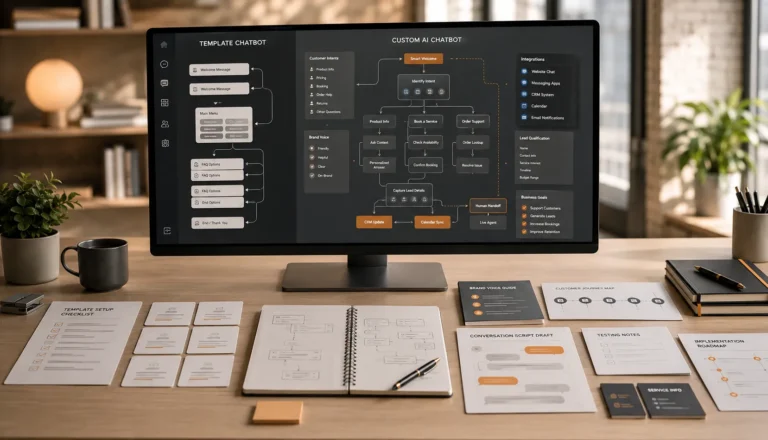
A generic template may provide basic automation, but a custom chatbot can be designed around the business’s actual customer journey.
That difference becomes important when conversations affect trust, appointments, sales, or long-term customer relationships.
Final Thoughts
AI chatbots can support service-based businesses throughout the complete customer journey.
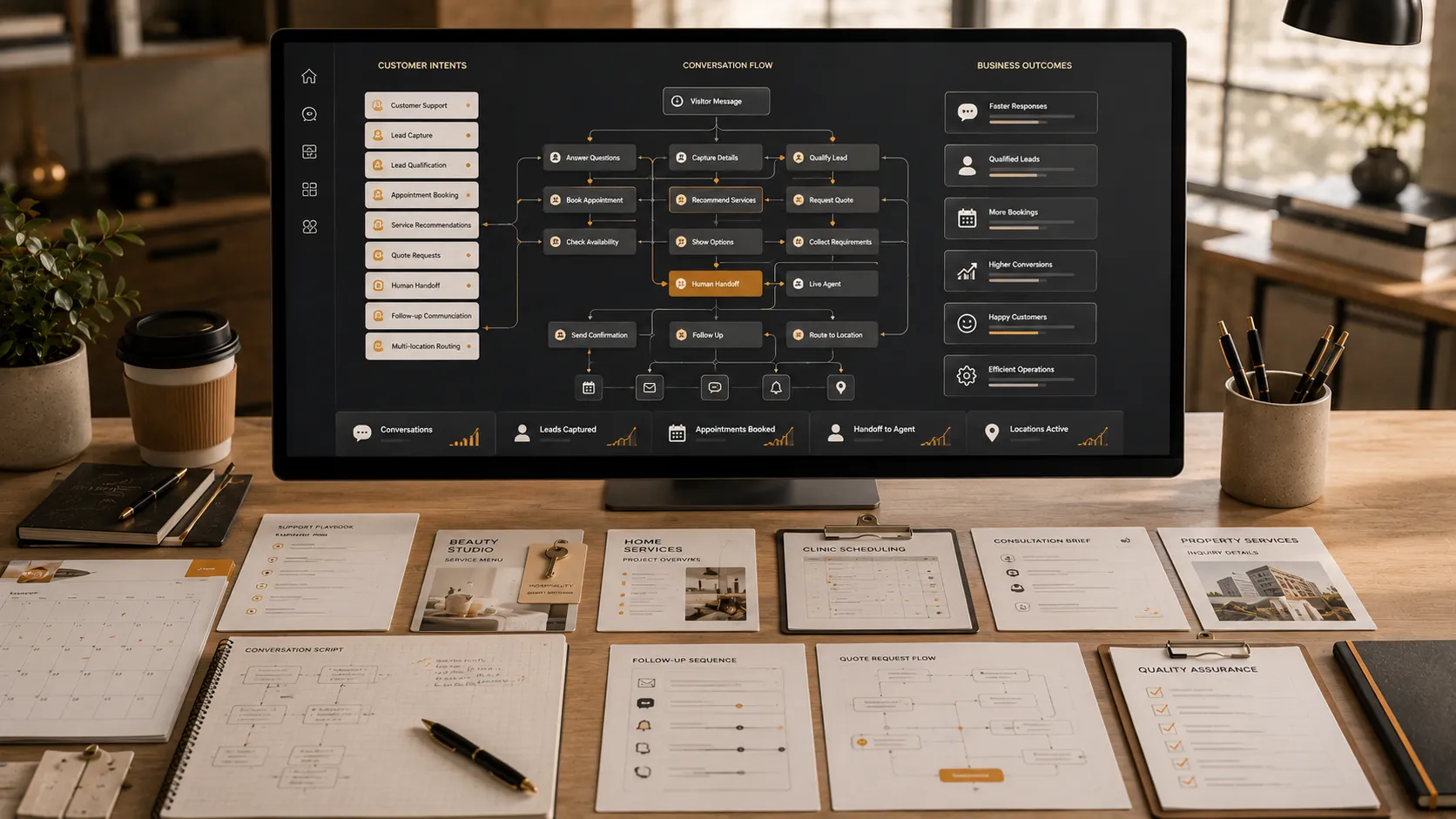
They can answer questions, capture after-hours leads, qualify prospects, recommend services, manage quote requests, support appointments, route inquiries, collect consultation details, and create smoother human handoffs.
The strongest use cases are not about replacing employees. They are about removing repetitive communication, helping customers take the next step, and giving the team better information before personal follow-up.
A chatbot should feel like an organized extension of the business. Its responses should match the brand voice, reflect accurate service information, and recognize when a human is needed.
AIChatbotopia develops custom AI chatbots from real conversation scripts rather than generic templates. Each chatbot is planned around the business’s customers, services, lead process, booking workflow, communication channels, and existing tools.
Businesses can explore AIChatbotopia’s services at https://aichatbotopia.com/services/, compare available plans at https://aichatbotopia.com/pricing/, or request a custom recommendation at https://aichatbotopia.com/get-a-quote/.