
Small businesses are expected to provide fast, helpful, and convenient customer service, even when their teams are busy. A potential customer may visit a website after business hours, send a message during a busy workday, or ask a question while employees are assisting other clients.
When that person does not receive a timely response, the business may lose an opportunity before anyone even realizes it existed.
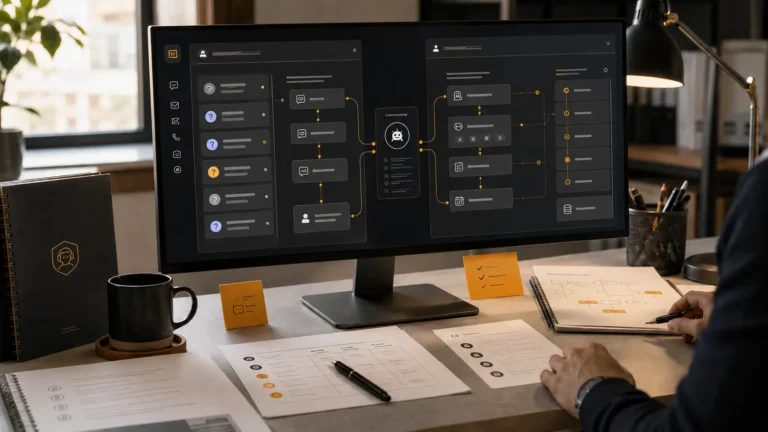
AI chatbot development offers a practical way to manage these conversations. A well-developed chatbot can answer common questions, collect lead details, recommend relevant services, assist with bookings, and direct complex inquiries to a human team member.
However, developing an effective AI chatbot involves much more than adding a chat window to a website. The chatbot needs accurate information, a clear purpose, well-planned conversation flows, an appropriate brand voice, reliable integrations, and regular improvement after launch.
This guide explains how AI chatbot development works, what small businesses should expect from the process, and how to decide whether a custom chatbot is suitable for their needs.
What Is AI Chatbot Development?
AI chatbot development is the process of planning, scripting, building, testing, launching, and maintaining an automated conversational assistant.
The chatbot uses artificial intelligence and structured business information to understand customer messages and provide relevant responses. Depending on its purpose, it may also ask questions, collect information, qualify leads, schedule appointments, or connect users with a human representative.
A business chatbot may be deployed through:
- A company website
- Instagram or Messenger
- Google Business Profile
- Other approved messaging or customer-service channels
The development process should begin with the business and its customers, not with the technology.
Before choosing software or creating integrations, the development team should understand what customers ask, where conversations usually begin, what information they need, and what action the business wants them to take.
How Is an AI Chatbot Different from a Basic Chatbot?
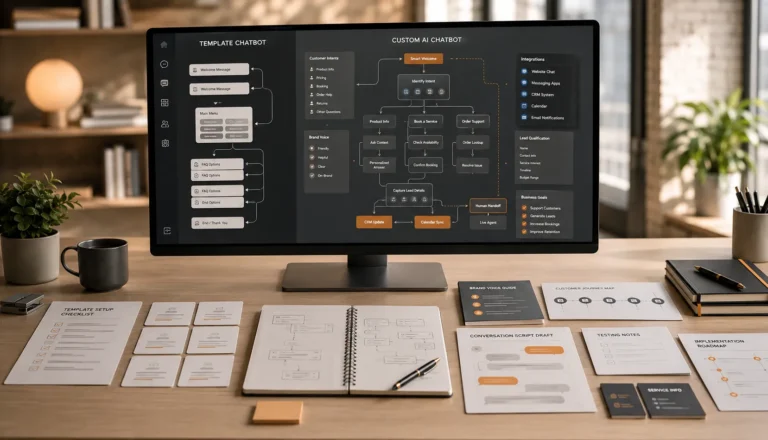
A basic chatbot usually follows rigid rules. It may display a welcome message and ask users to select from a fixed list of buttons. These bots can be useful for simple tasks, but they often struggle when a customer writes a question in a different way.
An AI chatbot can interpret more natural language and respond with greater flexibility. It may recognize that questions such as “How much does it cost?”, “Can you share your rates?” and “What are your prices?” have the same general intent.
However, artificial intelligence alone does not make a chatbot effective.
A useful AI chatbot still needs:
- Accurate business information
- Carefully written instructions
- Brand-aligned responses
- Defined conversation boundaries
- Lead and booking logic
- Human escalation options
- Testing and ongoing monitoring
Without these elements, even an advanced chatbot may provide generic, inconsistent, or incorrect answers.
Why Small Businesses Are Investing in AI Chatbots
Small businesses often have limited teams, but their customers still expect quick communication. Employees may be responsible for sales, operations, customer support, scheduling, and service delivery at the same time.
A custom chatbot can handle the first stage of many customer conversations without requiring an employee to respond manually.
It can help a business:
- Stay available outside normal operating hours
- Answer repetitive questions instantly
- Capture inquiries that might otherwise be lost
- Organize lead information before follow-up
- Reduce interruptions for staff members
- Support customers across multiple channels
- Create a more consistent first impression
The goal is not necessarily to replace human communication. The goal is to automate appropriate parts of the conversation while making it easier for customers to reach a human when needed.
Step 1: Define the Chatbot’s Main Purpose
The first step in AI chatbot development is deciding what the chatbot should accomplish.
Trying to make one chatbot handle every possible business task can result in a confusing experience. Small businesses usually achieve better results by identifying a few clear priorities.
A chatbot may be developed primarily for:
Customer Support
The chatbot answers questions about business hours, services, pricing, policies, locations, availability, and common customer concerns.
Lead Generation
It collects contact details and asks relevant questions to understand what the prospect needs.
Lead Qualification
It identifies whether a potential customer fits the business’s service criteria, budget, location, timeline, or other requirements.
Appointment Booking
It helps users choose a service, provide preliminary details, and connect with a calendar or booking system.
Service Recommendations
It asks guided questions and directs customers toward the most suitable service or package.
Conversation Routing
It identifies the reason for the inquiry and sends the conversation to the correct department or team member.
A business may combine several of these purposes, but each one should be clearly planned.
Step 2: Understand the Customer Journey
A chatbot should support the way customers naturally make decisions.
For example, a visitor may not be ready to book immediately. They may first want to understand what the business offers, whether it serves their location, how much a service costs, and what happens after they submit an inquiry.
The chatbot conversation should guide the visitor through these stages without being pushy.
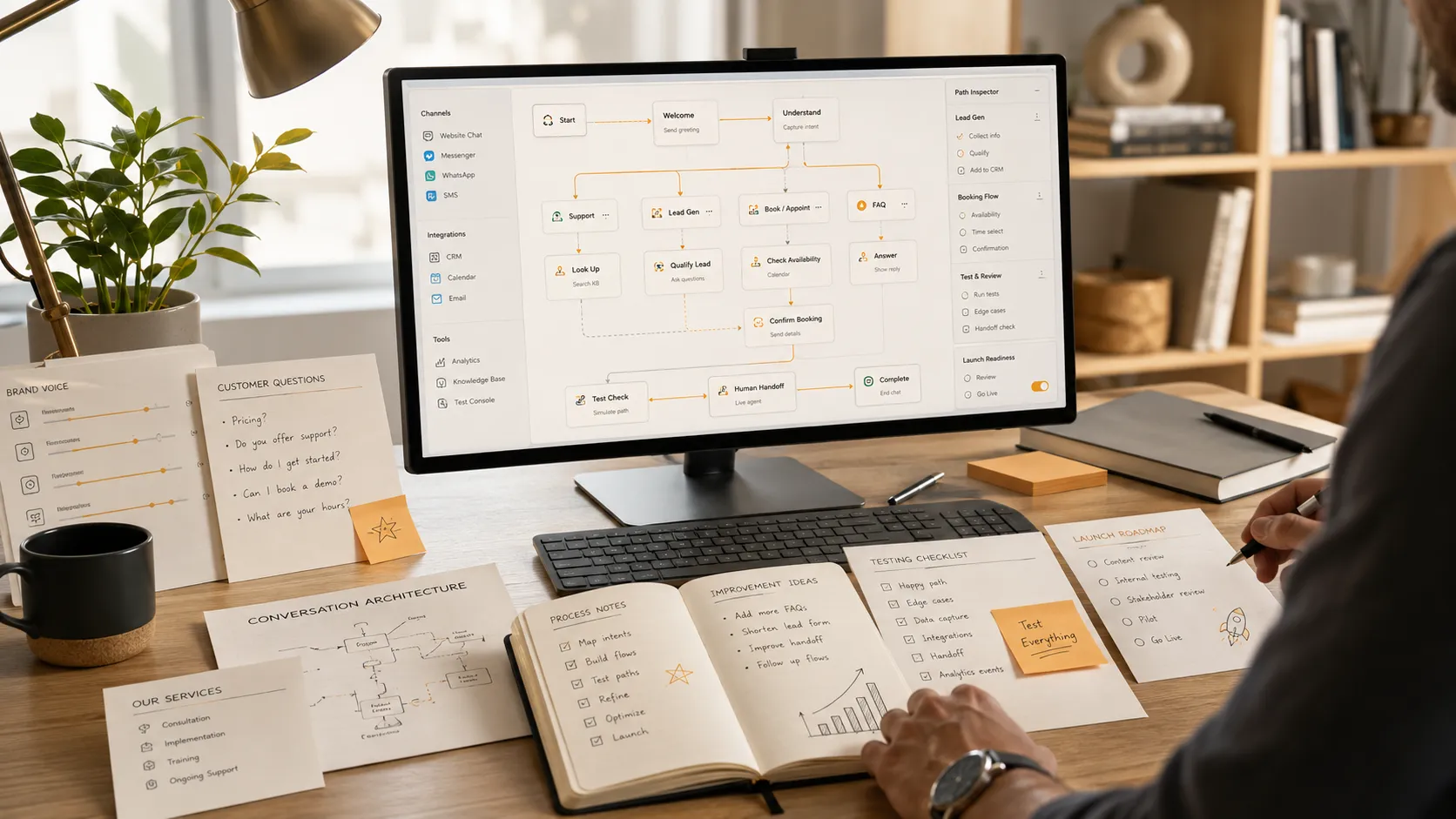
A typical customer journey may include:
- Greeting the visitor
- Identifying what they need
- Answering relevant questions
- Recommending a service or next step
- Collecting important details
- Offering booking or contact options
- Transferring complex matters to a person
Mapping this journey before development helps prevent disconnected answers and unnecessary questions.
Step 3: Collect Accurate Business Information
An AI chatbot can only provide reliable responses when it has reliable information.
Before scripting begins, the business should prepare details such as:
- Service descriptions
- Product information
- Pricing or pricing guidance
- Operating hours
- Service areas
- Appointment policies
- Cancellation policies
- Frequently asked questions
- Contact methods
- Lead qualification requirements
- Situations requiring human support
This information should be reviewed carefully. If the chatbot is given outdated prices, incorrect policies, or incomplete service details, it may communicate those errors to customers.
The business should also decide which information the chatbot must not provide. For example, it may be instructed not to confirm a custom quote, diagnose a medical concern, provide legal advice, or promise availability without human verification.
Step 4: Develop the Brand Voice
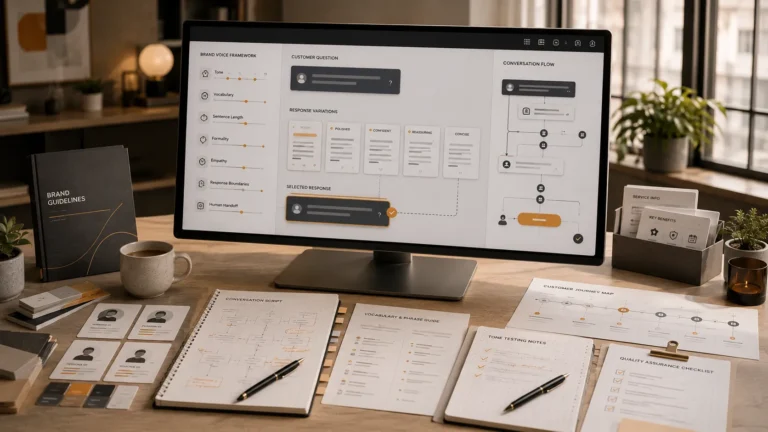
A chatbot represents the business during a direct customer interaction. Its tone should therefore match the brand.
A family-owned local business may want the chatbot to sound warm and conversational. A professional consultancy may prefer a precise and polished tone. A boutique hotel may want responses to feel welcoming and attentive.
Brand-voice planning may define:
- Formal or casual language
- Short or detailed responses
- Preferred words and phrases
- Words that should be avoided
- How the chatbot greets customers
- How it apologizes or handles confusion
- How it asks for contact information
- How it introduces a human handoff
A chatbot should not pretend to be a human employee. It can be transparent about being an automated assistant while still sounding natural and aligned with the business.
Step 5: Write the Conversation Script
Conversation scripting is one of the most important parts of chatbot development.
The script includes more than a list of frequently asked questions. It defines how conversations begin, how the chatbot asks follow-up questions, what happens when information is missing, and how users move toward a useful outcome.
A complete script may include:
- Welcome messages
- Main customer intents
- FAQ responses
- Service selection flows
- Lead qualification questions
- Booking instructions
- Contact-detail requests
- Error recovery responses
- Human handoff messages
- Closing and follow-up messages
The script should also account for different ways customers may express the same need.
For example, someone looking for appointment information might write:
- “Can I book today?”
- “Do you have any openings?”
- “I need an appointment.”
- “What times are available?”
The chatbot should recognize the shared intent and guide each user into the correct booking flow.
Step 6: Choose the Right Channels
Small businesses should deploy their chatbot where customers already communicate.
A website chatbot is often the starting point because it can engage visitors while they are reviewing services. However, businesses that receive regular social or messaging inquiries may benefit from additional channels.
Possible deployment options include:
- Website chat
- Instagram and Messenger
- Google Business Profile
The right combination depends on customer behaviour.
A professional services firm may receive most inquiries through its website, while a salon or local retailer may receive more messages through social platforms. A multi-channel chatbot can create consistency, but each channel may have different technical requirements and platform limitations.
Step 7: Add Useful Integrations
Integrations allow the chatbot to move beyond answering questions.
For example, it may connect with:
- A customer relationship management system
- A booking or scheduling platform
- A business calendar
- An email marketing platform
- A lead-notification system
- An internal support workflow
A CRM integration can send qualified lead information directly to the sales team. A calendar integration can help customers book an available appointment. A notification workflow can alert a team member when an urgent or high-value inquiry is received.
Small businesses should prioritize integrations that reduce manual work. Adding unnecessary connections may increase complexity without creating meaningful value.
Step 8: Plan the Human Handoff
A chatbot should know when to stop automating.
Some customers will have questions that require judgment, empathy, account access, or specialized knowledge. Others may simply prefer to speak with a person.
Human handoff options may include:
- Connecting to live chat
- Creating a support ticket
- Collecting details for a callback
- Providing an email address
- Alerting an available team member
- Sending the conversation to the appropriate department
The chatbot should clearly explain what will happen next. It should not repeatedly force a customer through automated questions when human assistance is required.
Step 9: Test the Chatbot Before Launch
A chatbot should be tested from the customer’s perspective before it becomes publicly available.
Testing should cover:
- Common questions
- Unusual wording
- Misspellings
- Incomplete messages
- Lead capture
- Booking flows
- Mobile usability
- Integrations
- Human escalation
- Incorrect or unsupported requests
- Tone and brand consistency
Conversation scripts should also be read aloud. A response that appears acceptable on a planning document may sound unnatural during a real conversation.
Testing helps identify responses that are too long, repetitive, unclear, or overly robotic.
Step 10: Launch and Monitor Real Conversations
Launching the chatbot is not the end of the development process.
Real customers may ask questions that were not included in the original script. They may use unexpected wording, abandon a conversation at a particular step, or repeatedly request information that is difficult to find.
Monitoring can reveal:
- Frequently unanswered questions
- Points where users leave
- Weak lead qualification steps
- Confusing responses
- Missing service information
- Opportunities for new automation
- Situations requiring faster human intervention
These findings should be used to revise the script and improve the chatbot over time.
Important Features for a Small-Business Chatbot
The exact features will vary, but a practical small-business chatbot should usually include:
Custom Brand-Voice Scripting
Responses should reflect how the business wants to communicate.
FAQ Management
The chatbot should provide accurate answers to common customer questions.
Lead Capture
It should collect useful information without making the conversation feel like a long form.
Lead Qualification
Questions should help the business understand the customer’s needs and readiness.
Booking Support
Where relevant, the chatbot should provide a clear route to appointments or consultations.
Human Escalation
Customers should have a way to reach a person when automation is not sufficient.
Multi-Channel Support
The same core conversation strategy may be adapted across the channels customers use.
Ongoing Revisions
Business information and customer behaviour change, so the chatbot should be updated regularly.
Common AI Chatbot Development Mistakes
Small businesses can avoid many problems by recognizing common mistakes early.
Using Generic Responses
Customers quickly notice when chatbot responses do not match the business. Generic text weakens trust and makes the chatbot feel like a template.
Asking Too Many Questions
Lead qualification is useful, but asking for too much information before providing value can cause users to leave.
Hiding Human Support
Automation should make support easier, not create a barrier between the customer and the business.
Providing Outdated Information
Prices, services, policies, and operating hours should be reviewed regularly.
Launching Without Proper Testing
An untested chatbot may create a poor first impression or send incorrect lead information.
Treating Development as a One-Time Task
Customer conversations provide useful data. Ignoring that data prevents the chatbot from improving.
How Much Does AI Chatbot Development Cost?
The cost depends on the chatbot’s complexity, supported channels, conversation volume, integrations, and ongoing management requirements.
A simple website chatbot with a custom script may cost less than a multi-channel system connected to a CRM and booking platform.
When comparing options, small businesses should evaluate what is actually included. A low-cost chatbot builder may provide software access but leave the business responsible for strategy, scriptwriting, testing, integrations, and optimization.
A managed custom chatbot service may include:
- Conversation strategy
- Brand-voice scripting
- Development
- Widget customization
- Testing
- Deployment
- Integrations
- Monitoring
- Monthly revisions
- Support
The most useful comparison is not simply the initial price. It is the amount of work, expertise, and ongoing support included in the service.
How Long Does Chatbot Development Take?
A focused small-business chatbot can often be prepared within a few weeks, depending on the required features and how quickly the business provides information and approvals.
The timeline may be affected by:
- The number of conversation flows
- The number of deployment channels
- Custom integrations
- Third-party platform approvals
- Revision rounds
- Client response time
- The quality of available business information
At AIChatbotopia, standard chatbot setup is generally completed within approximately 7 to 14 days after the required information, access, and approvals have been received.
Should Your Small Business Build a Custom AI Chatbot?
A custom AI chatbot may be a good fit when your business:
- Receives frequent customer inquiries
- Loses leads because replies are delayed
- Answers the same questions repeatedly
- Depends on appointments or consultations
- Wants to qualify leads before staff follow-up
- Receives inquiries outside normal hours
- Needs consistency across multiple channels
- Wants to reduce repetitive administrative work
A chatbot may be less suitable when every inquiry requires immediate expert judgment or when the business does not yet have clear services, policies, and customer processes.
In those cases, the underlying customer journey should be organized before automation is introduced.
Final Thoughts
AI chatbot development gives small businesses an opportunity to provide faster and more consistent communication without requiring a large support team.
The most effective chatbots are not built by simply activating an AI tool. They are created through a complete process that includes customer-journey planning, accurate business information, brand-voice scripting, conversation design, integrations, testing, and ongoing improvement.
A custom chatbot should sound like the business, support real customer needs, and lead each conversation toward a useful next step. It should also recognize when a human team member is better equipped to help.
AIChatbotopia develops custom AI chatbots around real scripts rather than generic templates. Each chatbot is planned to reflect the client’s voice, business process, customer questions, and selected communication channels.
Businesses can explore AIChatbotopia’s services at https://aichatbotopia.com/services/, review available plans at https://aichatbotopia.com/pricing/, or request a custom solution at https://aichatbotopia.com/get-a-quote/.